 GigChain Keys
 › Guides
MainStage for Windows? What to use instead
There is no MainStage for Windows: Apple only makes it for the Mac. But what MainStage does, a setlist of songs where each song has its sounds ready to play, works just as well on a Windows PC. Here's how to set it up, for free.
What MainStage actually gives you
Strip away the Apple branding and MainStage is four things:
- A setlist: your songs in gig order.
- Sounds per song (MainStage calls them patches): piano for the verse, pad plus strings for the chorus.
- Layers and splits: several sounds at once, or bass on the left hand and piano on the right.
- One press to change: a footswitch, pad or key moves to the next sound, with no gap in the audio.
Any Windows program that does all four can replace it on stage.
Doing it on Windows with GigChain Keys
GigChain Keys is a free, open-source live rig built to work like MainStage, on Windows, Mac and Linux.
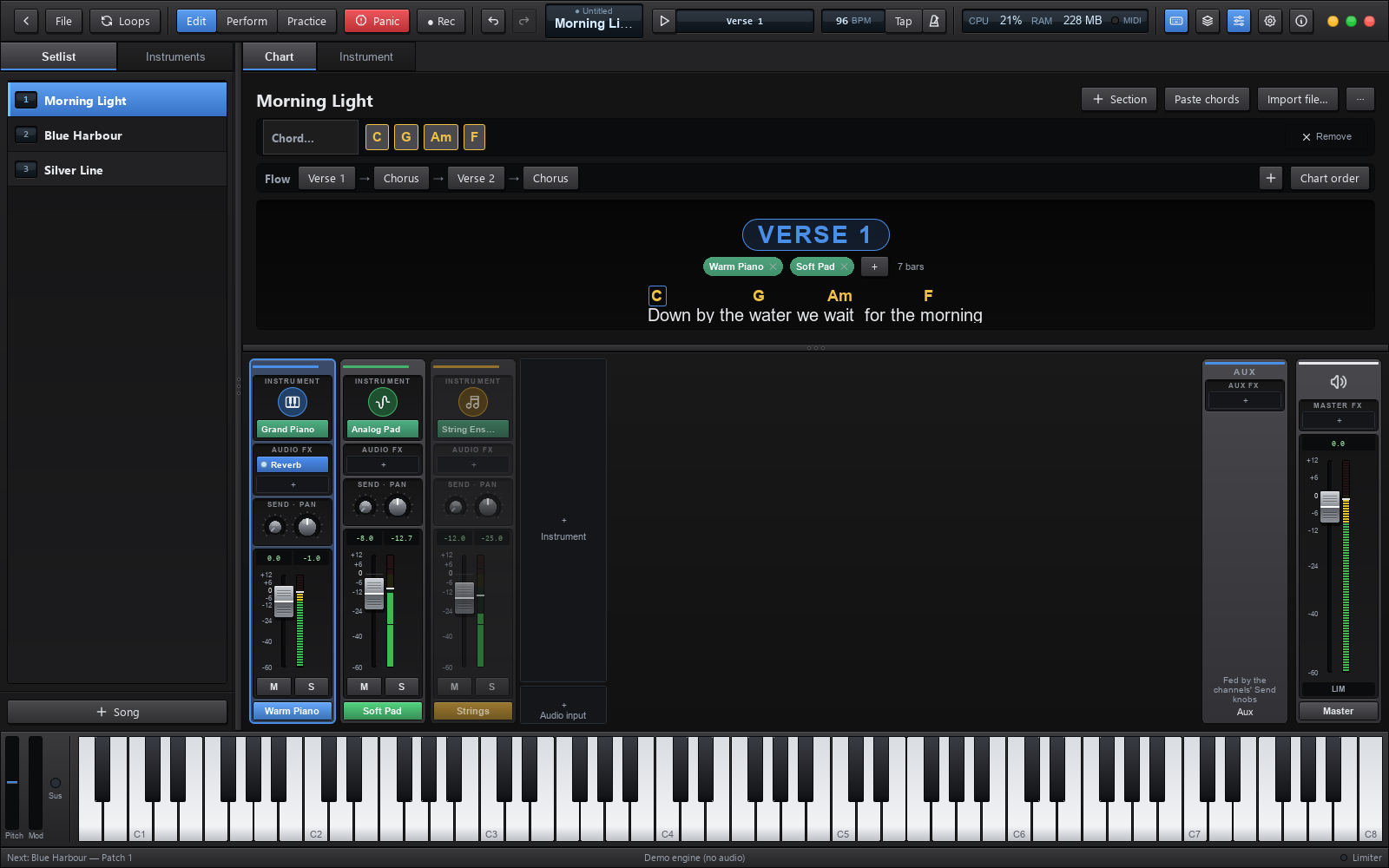
- Install it from the download page (Windows 10 or 11; installer or portable zip).
- Plug in your MIDI keyboard; it's found automatically.
- Pick your audio: your normal Windows sound output works straight away. If you have an audio interface, choose its ASIO driver for the lowest latency.
- Add your plugins: GigChain Keys scans your VST3 and VST2 folders. Kontakt, Arturia, Spitfire, Surge XT, Vital and the rest all work. No plugins yet? It comes with its own pianos, synths, pads and a SoundFont player.
- Build your setlist: add a song, add sounds to it, layer or split them, and paste in the chords.
- Go to Perform mode on stage: big, clear, one press to the next sound.
What's the same, and what's different
| MainStage | GigChain Keys | |
|---|---|---|
| Runs on | Mac only | Windows, Mac, Linux |
| Price | Paid | Free, open source |
| Setlists, sounds per song | Yes | Yes |
| Layers and splits | Yes | Yes |
| Your plugins | Audio Units | VST3 and VST2 |
| Chord and lyric charts | Not built in | Yes |
| Built-in sound library | Large (Logic's) | Smaller: pianos, synths, pads, SoundFonts |
| Backing tracks, click, tempo | Yes | Yes (up to eight stems per song) |
MainStage's big strength is Logic's huge sound library. On Windows you bring your own plugins (plenty are free: Spitfire LABS, Surge XT, Vital, Dexed, Pianobook instruments), plus GigChain's built-in sounds.
Free, no ads, no account. Windows 10 and 11.
Download GigChain KeysQuestions
Can I run MainStage on Windows?
No. It's Apple software for macOS only. Virtual machines aren't practical for live audio.
What is the Windows equivalent of MainStage?
A live VST host with setlists. GigChain Keys is a free one that works like MainStage. For every free option, see free MainStage alternatives compared.
Do I need an audio interface?
Not to start. Your computer's sound output works. For stage, an interface with an ASIO driver gives the lowest latency, and GigChain Keys supports it.